EasyDub
Great app. I’m going to add unfamiliar words and phrases from the movies I watch in the original.
Translated from Russian
 VibeLing
 English
 Español
 Português
 Deutsch
 Français
 Italiano
 Română
 Srpski
 Türkçe
 Eesti
 Polski
 Українська
The “YouTube & Podcasts” set from the “Movies, Books & Games” goal. These are Russian words you can actually use — with translation, examples and pronunciation.
These Russian words are already in the VibeLing dictionary — 84 with translation, an example and audio. Tap a word to open its page.
 плавки
swimming trunks
noun
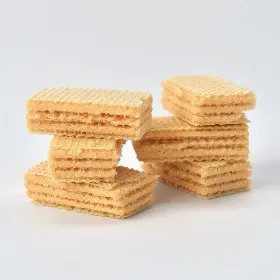 вафля
wafer
noun
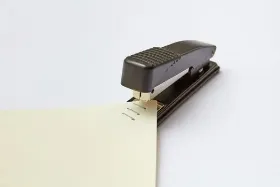 скрепка для бумаг
paperclip
noun
 повторять
[pɐfˈtoryɪtʲ]
repeat
verb
 эпизоды
episodes
noun
 воронка
funnel
noun
 дела
deeds
noun
 тщательная чистка
detailing
noun
 посмертное исследование
postmortem examination
noun
 журналы
magazines
noun
 скачивать
[ˈskatɕɪvətʲ]
download
verb
 вирусное видео
[ˈvʲirʊsnəje ˈvʲidʲɪə]
viral video
phrase
 алгоритм
[əlɡɐˈrʲitm]
algorithm
noun
 потоковое воспроизведение
[pɐˈtokəvəje vəsprəɪzvʲɪˈdʲenʲɪje]
streaming
noun
 загружать
[zəɡrʊˈʐatʲ]
upload
verb
 запись
[ˈzapʲɪsʲ]
recording
noun
 фоновый шум
[ˈfonəvɨj ʂum]
background noise
phrase
 качество звука
[ˈkatɕɪstvə ˈzvukə]
audio quality
phrase
 описание выпуска
[ɐpʲɪˈsanʲɪje ˈvɨpʊskə]
show notes
phrase
 вступление
[fstʊˈplʲenʲɪje]
intro
noun
 рекламная пауза
[rʲɪˈklamnəjə ˈpaʊzə]
ad break
phrase
 рекламная вставка
[rʲɪˈklamnəjə ˈfstafkə]
sponsored segment
phrase
 спонсор
[ˈsponsər]
sponsor
noun
 колокольчик уведомлений
[kələˈkolʲtɕɪk ʊvʲɪdɐˈmlʲenʲɪj]
notification bell
phrase
 кнопка подписки
[ˈknopkə pɐtˈpʲiskʲɪ]
subscribe button
phrase
 кнопка «поделиться»
[ˈknopkə pədʲɪˈlʲitsə]
share button
phrase
 кнопка «не нравится»
[ˈknopkə nʲɪ ˈnravʲɪtsə]
dislike button
noun
 кнопка «нравится»
[ˈknopkə ˈnravʲɪtsə]
like button
noun
 закреплённый комментарий
[zəkrʲɪˈplʲonnɨj kəmʲɪnˈtarʲɪj]
pinned comment
phrase
 раздел комментариев
[rɐzˈdʲel kəmʲɪnˈtarʲɪjɪf]
comment section
phrase
 влог
[vlok]
vlog
noun
 видео с реакцией
[ˈvʲidʲɪə s rʲɪˈaktsɨjɪj]
reaction video
phrase
 клип
[klʲip]
clip
noun
 короткое видео
[kɐˈrotkəje ˈvʲidʲɪə]
reel
noun
шортсы
[ˈʂortsɨ]
shorts
noun
 премьера
[prʲɪˈmʲjerə]
premiere
noun
 прямая трансляция
[prʲɪˈmajə trɐnˈslʲatsɨjə]
live stream
noun
 плейлист
[plʲɪjˈlʲist]
playlist
noun
 отметка времени
[ɐtˈmʲetkə ˈvrʲemʲɪnʲɪ]
timestamp
noun
 расшифровка
[rəʂʂɨˈfrofkə]
transcript
noun
 превью
[ˈprʲevʲjʊ]
thumbnail
noun
 слушатель
[ˈsluʂɨtʲɪlʲ]
listener
noun
 зритель
[ˈzrʲitʲɪlʲ]
viewer
noun
 подписчик
[pɐtˈpʲiɕːɪk]
follower
noun
 гость
[ɡosʲtʲ]
guest
noun
 создатель
[sɐzˈdatʲɪlʲ]
creator
noun
 канал
[kɐˈnal]
channel
noun
 подкаст
[pɐtˈkast]
podcast
noun
 видео
[ˈvʲidʲɪə]
video
noun
 концовка
[kɐnˈtsofkə]
outro
noun
 описание
[ɐpʲɪˈsanʲɪje]
description
noun
название
[nɐˈzvanʲɪje]
title
noun
 глава
[ɡlɐˈva]
chapter
noun
 обучающий урок
[ɐbʊˈtɕajʊɕːɪj ʊˈrok]
tutorial
noun
 обзор
[ɐbˈzor]
overview
noun
 подпись
[ˈpotpʲɪsʲ]
caption
noun
 микрофон
[mʲɪkrɐˈfon]
microphone
noun
 вёл
[vʲol]
led
verb
 пересматривать
[pʲɪrʲɪˈsmatrʲɪvətʲ]
review
verb
 снисходить
patronize
verb
 хозяин
[xɐˈzʲæɪn]
owner
noun
 пролив
straits
noun
 прищепка для белья
clothes peg
noun
 впихивать
cram
verb
 интервью
[ɪntɛrˈvʲu]
interview
noun
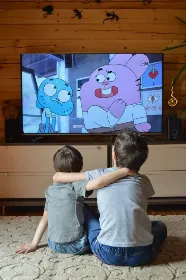 эпизод
[ɛpʲɪˈzot]
episode
noun
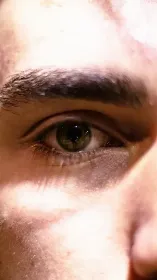 наблюдатель
beholder
noun
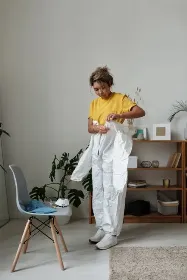 надеть
don
verb
 рекомендация
[rʲɪkəmʲɪnˈdatsɨjə]
recommendation
noun
 загрузка
[zɐˈɡruskə]
load
noun
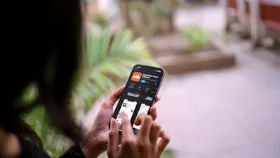 загружая
uploading
verb
 лечил
treated
verb
 рассматривая
reviewing
verb
 проверил
reviewed
verb
рекомендации
recommendations
noun
концовка
outro
noun
 розетка
outlet
noun
 собеседование
job interview
noun
хозяева
hosts
noun
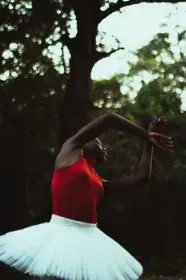 грация
grace
noun
подписчик
follower
noun
 давать право
entitle
verb
 создание образов
characterization
noun
подпись
caption
noun
Try it — adding your first words takes a minute
Add Russian words from the “YouTube & Podcasts” set and review them in the app so you can use them when it matters.