Spaced Repetition Apps: 7 Best Compared (2026)

You wrote down twenty words from a Spanish show, ran through them once in an app, closed it — and a week later you remembered five. It's usually not a memory problem, and it's not laziness. The reviews simply happened at the wrong moments.
Review scheduling is the one part of learning vocabulary you can hand over to software completely. No one can keep track of the fact that defensa needs to come back tomorrow, adversario in three days, and precisamente in a month. An app can. Here's how spaced repetition actually works, what an app built around it needs to do, and what to look for when you pick one.
How spaced repetition works
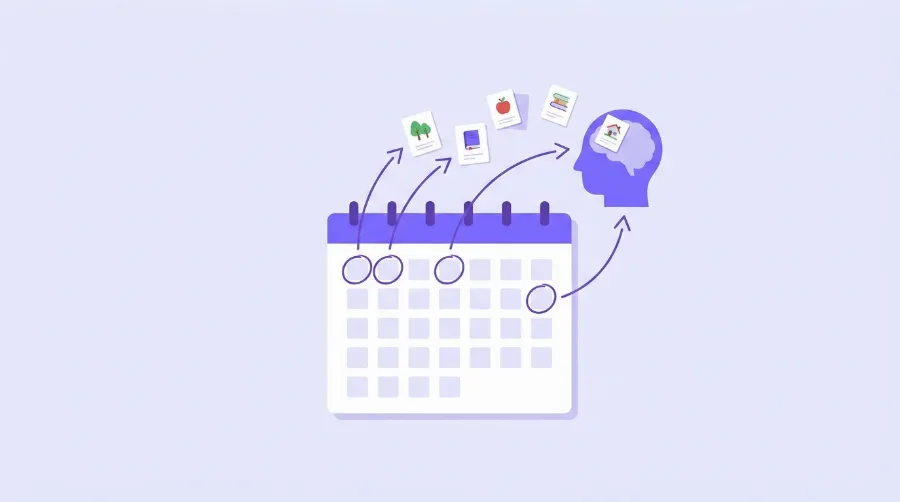
A new word fades fastest in the first twenty-four hours after you meet it. Review it right when it's about to slip away, and the memory gets stronger — next time it will hold for longer. Review it again a few days later, and it holds longer still. The gaps grow: one day, three days, a week, two weeks, a month.
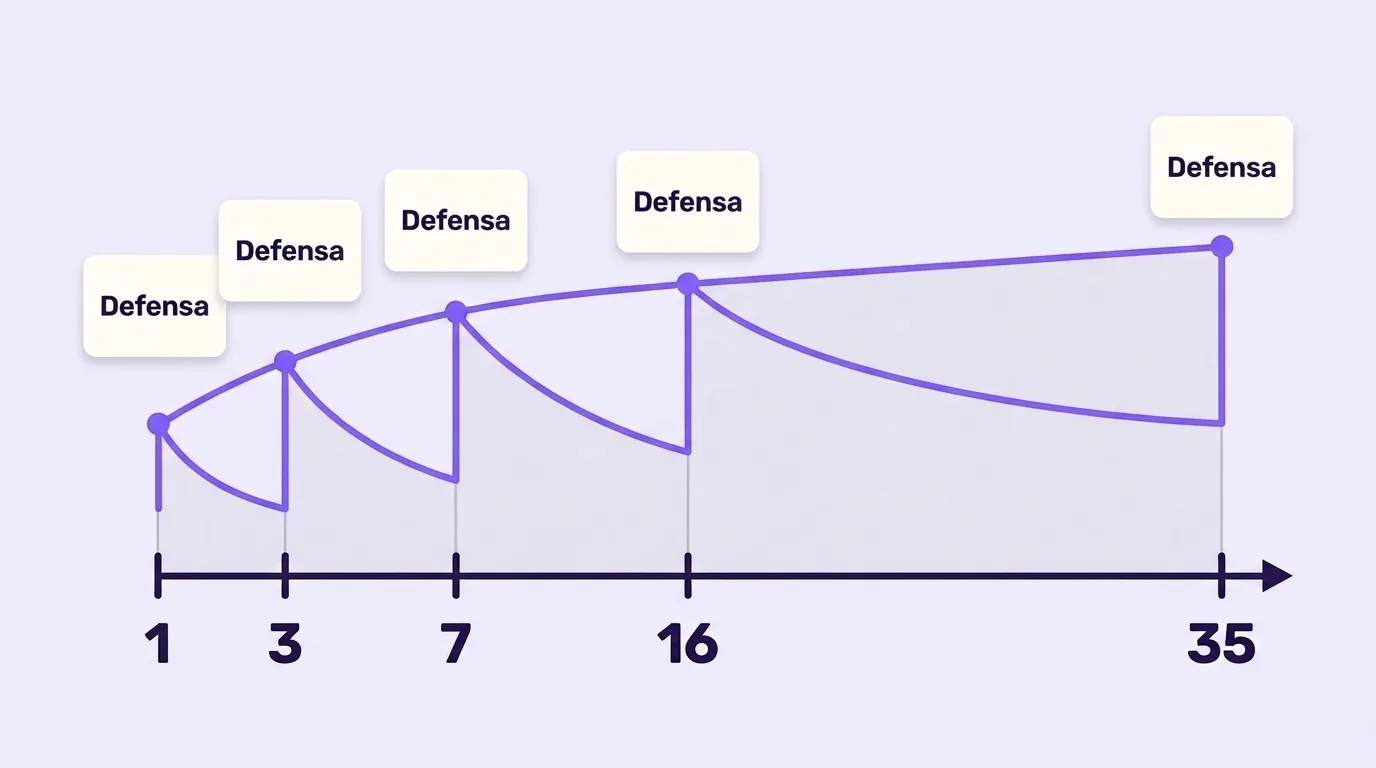
Which leads to the practical point: review rarely, but on time. A fifth review a month later does more than five reviews crammed into one evening, and it takes less of your day. For the mechanics in detail, see the separate piece on spaced repetition and why you stop forgetting.
Flashcards alone are not spaced repetition
Plenty of apps use flashcards, and nearly all of them claim to "use spaced repetition." In practice there are three different things hiding behind that phrase, and confusing them is expensive.
| What actually happens | How to spot it | Does it work? |
|---|---|---|
| The deck loops around | You decide when to open the deck and how many cards to go through | No — that's cramming with a phone |
| The schedule covers a whole deck | The app reminds you to "review the Food deck" as a unit | Partly: easy words steal time from hard ones |
| Every word has its own schedule | Each word carries its own progress, and today's session mixes words from different topics | Yes — this is spaced repetition |
The difference matters. You'll remember agua the first time and never want to see it again, while agobiado keeps slipping away week after week. If the app schedules at the deck level, you'll keep spending time on agua and shortchanging agobiado. The interval has to be computed per word, based on how you answered on that specific word.
How we compared
A real spaced repetition app does more than shuffle cards: it decides on which day each card comes back, based on how well you remembered it. We compared seven apps on how a card gets made, how reviews are scheduled, what the free plan includes and what the paid plan costs. Prices are US prices from each app’s pricing page or App Store listing, checked on 10 October 2026; they differ by country.
| App | Making a card | Scheduling | Free plan | Paid plan (US) |
|---|---|---|---|---|
| Anki | By hand, or shared decks | SM-2 or FSRS, tunable | Desktop, Android, web | AnkiMobile for iPhone, $24.99 once |
| Quizlet | Type terms or use shared sets | Adaptive Learn mode within a session, not long-term intervals you control | Yes, with limits | Plus about $36–45/year |
| RemNote | Written inside your notes | Spaced repetition | Yes | Pro $8/month billed yearly |
| Mochi | By hand, Markdown and templates | Spaced repetition | Yes, offline | Pro $5/month billed yearly, adds sync |
| Brainscape | By hand or shared decks | Confidence rating 1–5 | Yes | Pro $7.99/month billed yearly |
| Knowt | By hand, from notes, or imported Quizlet sets | Spaced repetition review | Yes | Ultra $149.99/year |
| VibeLing | Type a word; translation, examples, audio and picture appear on their own | Intervals adapt to your mistakes | Yes | Optional Pro |
A checklist: what the app needs to do
- Track an interval for every word. Each word has a state — how many times you recalled it, how many times you blanked, when to show it next. Usually you see this as a percentage next to each word.
- Ask in different ways. A single "word — translation" card gets memorized as an image: you start recognizing the position of the button, not the word. You need several formats — recall the translation, fill the missing word in a sentence, produce the Spanish word from English, say it out loud.
- Test recall, not recognition. Picking adversario out of four options is easy. Producing it yourself when you need to say "opponent" is a completely different task — and it's the one speaking requires.
- Cap the daily batch. With no ceiling on new words, two weeks in you'll have a queue of a hundred reviews waiting, and you'll quit. A sane batch is 10–30 words a day, split into short sessions.
- Work with your words. Prebuilt 3,000-word decks are mostly dead weight: half of it you'll never need, and the words you do need aren't in there. Words you copied out of a show, a book, or a work chat stick far better — you've already seen them in context.
- Give you audio and examples. A word with no pronunciation and not a single real sentence around it is half a word.
How VibeLing does it
VibeLing is built around exactly this loop, so I'll use it as the worked example.
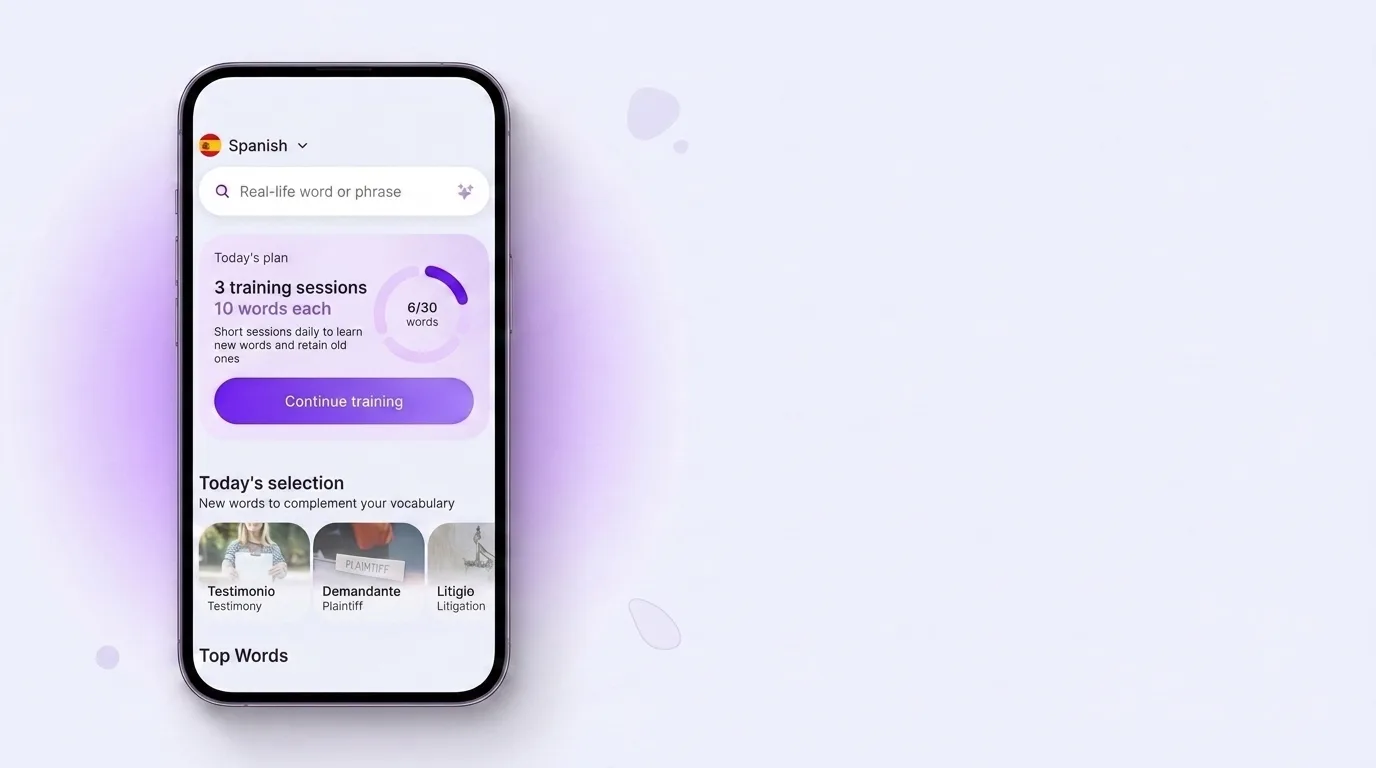
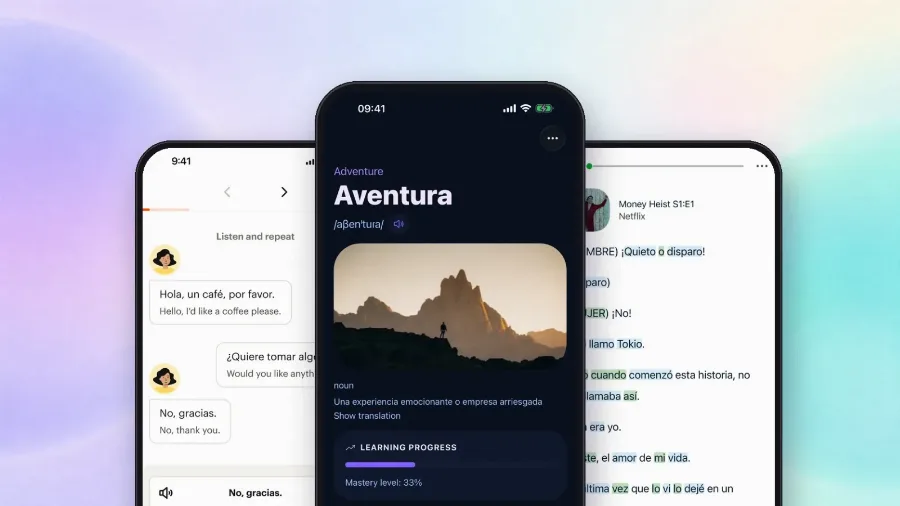
A word enters your dictionary straight from your life: you type it into the search while you're watching a show or reading, and the app pulls the translation, the phonetic transcription, audio and example sentences. From there the word joins the review queue and gets its own learned percentage — 22%, 33%, 56%. That number climbs when you recall the word and drops back when you blank on it.
Instead of an endless deck, the home screen shows a plan for today: a few short training sessions of ten words each. New words and words that are due get mixed into the same session, so you're never choosing between learning new material and holding on to the old — both happen at once.
Inside a session the formats rotate: "I remember / I don't" with transcription and audio, picking the right translation, filling a missing word in a Spanish sentence, and saying the word out loud into the microphone. Over a week you'll meet the same adversario four different ways, so the learning doesn't go mechanical.
Anki, and apps that schedule for you
Any conversation about spaced repetition eventually lands on Anki — the program that made the method mainstream. Anki computes intervals honestly and well, but it's a construction kit: you build the decks, configure the card types, add the audio and the example sentences yourself. Some people are happy to do that, and for them Anki is an excellent choice. For most, it ends somewhere during the assembly of the first deck.
Get Anki: App Store · Google Play. Note that AnkiMobile on iOS is paid while AnkiDroid on Android is free — they're two separate builds from different teams.
The other approach is an app where the schedule, the exercise formats, the translations, the audio and the examples are already assembled, and all that's asked of you is to add words and open the app. Same method, minus the assembly.
If you are choosing between Anki and something simpler, our comparison of Anki alternatives lists prices, setup and which apps import Anki decks.
Four mistakes that stop spaced repetition from working
- Too many new words at the start. Fifty words on day one means fifty reviews on day three and a hundred and fifty by week two. Start at ten a day and raise it later.
- Week-long gaps. The method relies on reviews arriving roughly on time. Come back once a fortnight and the words have already fallen out, so you're learning them from scratch.
- Recognition only. If you always pick the translation from a list, you're training reading, and speaking won't follow. There's a separate breakdown of how often to review Spanish vocabulary so it reaches your speech.
- Someone else's words. A "1000 Words for the DELE" deck feels like the responsible choice, but a good half of those words won't cross your path this year, and your brain notices.
How much time this takes
Keep the batch at 20–30 words a day and reviews run 10–15 minutes — usually two or three sessions of a few minutes each: on the bus, in a queue, before bed. Less time than the episode you pulled the words from in the first place.
After a month the difference is easy to feel. Words that used to live in your phone notes and die there start surfacing when you need them — because you met each of them five or six times at growing intervals, instead of once on the evening you wrote them down.
Spaced repetition is one criterion of several; the comparison of 7 Spanish vocabulary apps covers the rest, prices included.
Free vs paid: what you actually lose
On most of these apps, spaced repetition itself is free. Anki is free on desktop, Android and the web; only the iPhone app costs $24.99 once. Mochi is free offline and charges for sync between devices. RemNote, Brainscape and Knowt keep reviews free and charge for AI features, extra media or exam tools. Quizlet’s free plan has limits, and its Learn mode works within a session rather than as long-term intervals. VibeLing is free, with an optional Pro subscription that removes ads and adds several languages at once, the full lesson course and extended statistics. So for most people the paid plan buys convenience, not the method itself.
FAQ
What is the best spaced repetition app?
For full control over every card and interval, Anki. For flashcards inside your notes, RemNote. For foreign words you meet in real life, VibeLing, because it builds each card for you.
Is there a free spaced repetition app?
Yes. Anki is free everywhere except iPhone, Mochi is free offline, and RemNote, Brainscape, Knowt and VibeLing all have free plans with spaced repetition.
What is the difference between flashcards and spaced repetition?
Flashcards are the format; spaced repetition is the schedule. A flashcard app that shows cards in a random order or only within one session is not doing spaced repetition. A spaced repetition app decides on which day each card comes back.
Which spaced repetition app is best for vocabulary?
Anki if you are happy to make every card yourself; VibeLing if you want the card, with translation, examples and audio, built for you from the word you type.
Deciding between the two best-known flashcard apps? See Anki vs Quizlet. Leaving Quizlet? Here are free Quizlet alternatives.
In short
Spaced repetition isn't a clever trick. It's a way to stop spending time on words you already know and stop losing the ones you're about to forget. All you need from an app: a review date computed per word, questions asked in more than one format, and no avalanche of a queue.
If you'd rather test that on your own words than on someone else's deck, start a personal Spanish dictionary in VibeLing — add words from films, books and chats, and let the app work out the review schedule.
Price sources, checked 10 October 2026: Anki, AnkiMobile on the App Store, Quizlet on the App Store, RemNote, Mochi, Brainscape, Knowt.